Manage customer experiences
Understand the separate workflow
Experience bookings are separate from accommodation reservations. They have their own customer fields, statuses, origins, reservation list, payment history, reports, and optional invoices. Use Experiences → Reservations, not Solidres → Reservations, when the customer asks about a tour, activity, wine tasting, or massage/SPA appointment.
An Experience does not have to be an excursion. It can also represent a hosted wine tasting, a massage or SPA treatment slot, a class, a private session, or another bookable service. These are examples only; they do not imply that this property offers them.
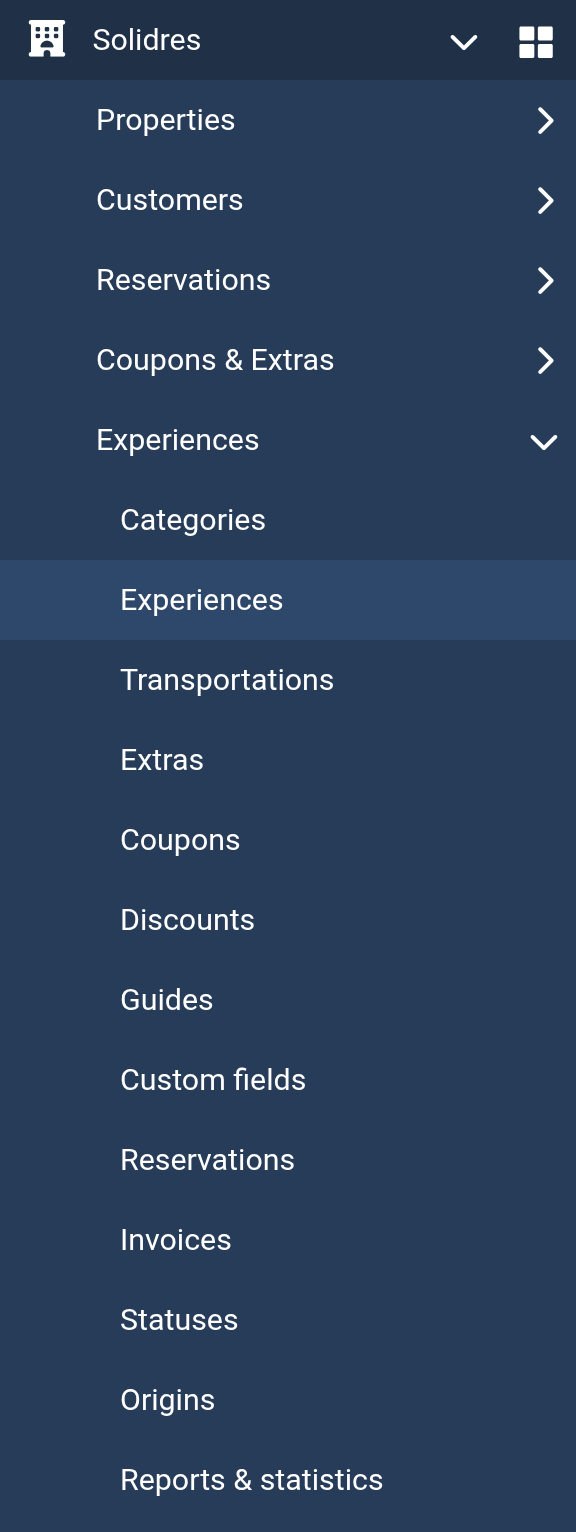
Official Solidres documentation image: “The Experiences section in the Solidres navigation bar.” Downloaded for this guide; see source and attribution.
Before changing an experience reservation
- Find the booking by its experience reservation code and verify the customer’s identity.
- Confirm the selected experience, date, time slot, guide/service provider, participant count, extras, payment state, and status. For a wine tasting, the guide may be a sommelier; for a massage/SPA appointment, it may be the therapist.
- Check whether the booking is part of an accommodation stay. A linked tour remains a separate reservation and may have separate payment terms.
- Do not change a status until you know which status is configured as the confirmation reservation status: availability and slot capacity count only confirmed bookings.
Manage a booking safely
- Open Experiences → Reservations and select the correct reservation.
- Review customer details, adults/children, extras, payments, source, and current status.
- When changing participants or extras, use the form’s Apply/recalculation action and review the new total before saving.
- For date, time slot, or guide/service-provider changes, confirm the new departure has places left and that the guide, sommelier, therapist, or other provider is not already assigned to an overlapping confirmed slot.
- Save the change and reopen the reservation to confirm its new total, payment balance, status, and booked departure.
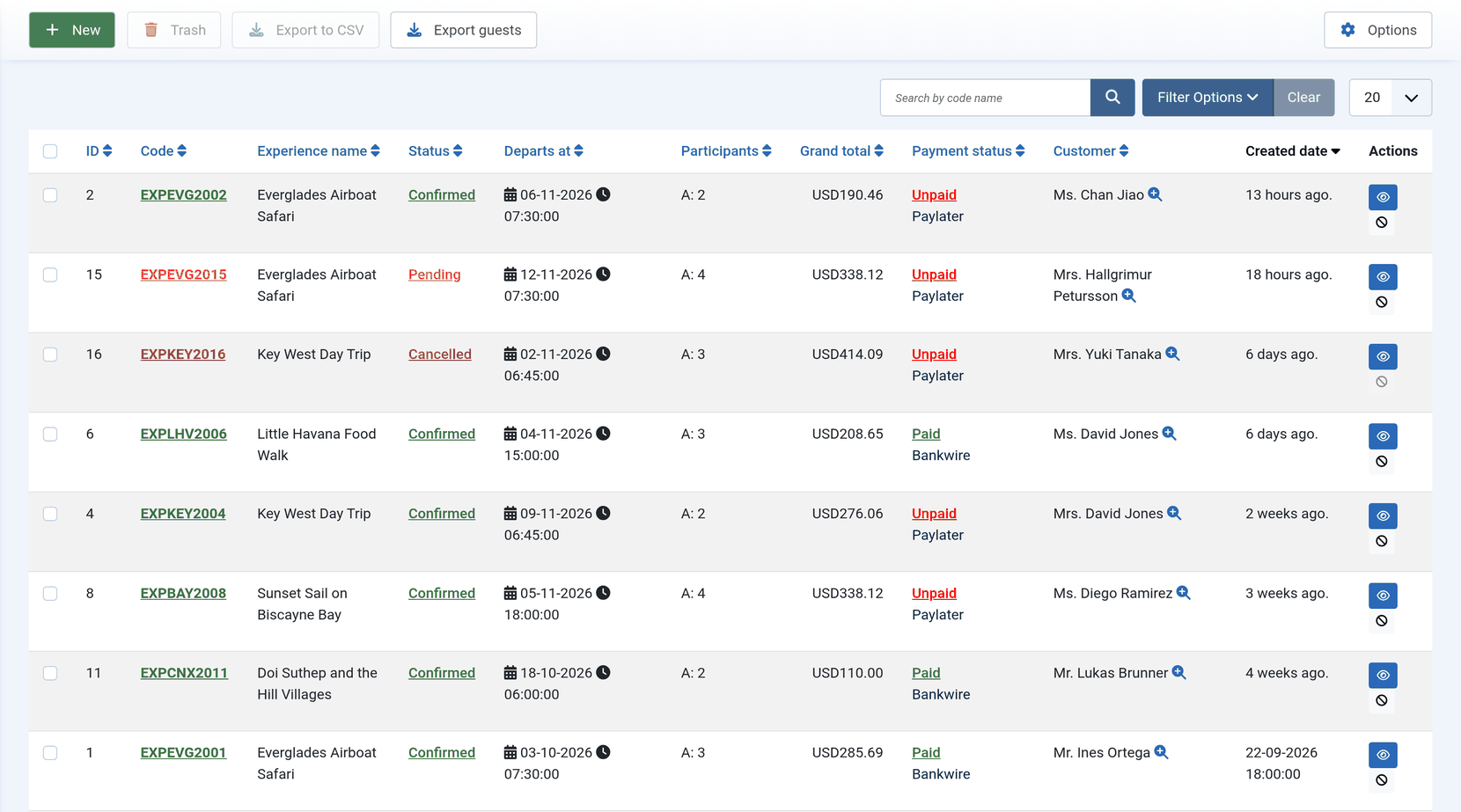
Official Solidres documentation image: “Experience reservations.” Downloaded for this guide; see source and attribution.
Capacity and cancellation checks
- A departure or appointment is unavailable when its places are sold, its guide/service provider is busy, the slot overlaps another confirmed assignment, the slot has already started, or the experience is private and already booked.
- Cancellation and confirmation statuses are configured under Solidres → Configuration → Experience. They are separate from accommodation statuses.
- For a cancellation, follow the property’s written refund and customer-notification policy. Record actual payments/refunds only; do not use a status change to conceal an unresolved balance.
Common problems
| Symptom | First check |
|---|---|
| Experiences menu missing | Plugin enabled; Main activity is set to Property & experience or Experience. |
| Calendar has no bookable date | Available dates; booking window; published state; remaining capacity. |
| A slot is unexpectedly unavailable | Guide publication, overlapping guide booking, confirmed capacity, slot time, and private setting. |
| Capacity never decreases | The configured confirmation status matches the status used for real bookings. |
For set-up details—including categories, guides, time slots, availability, payments, and experience reports—use the official Experience plugin guide.