Manage arrivals, departures and no-shows
Use the reservation status deliberately
The reservation summary shows the guest, dates, booking status, payment status, total paid, and balance due. A status change can release availability and may notify the guest, so never treat it as a casual note.
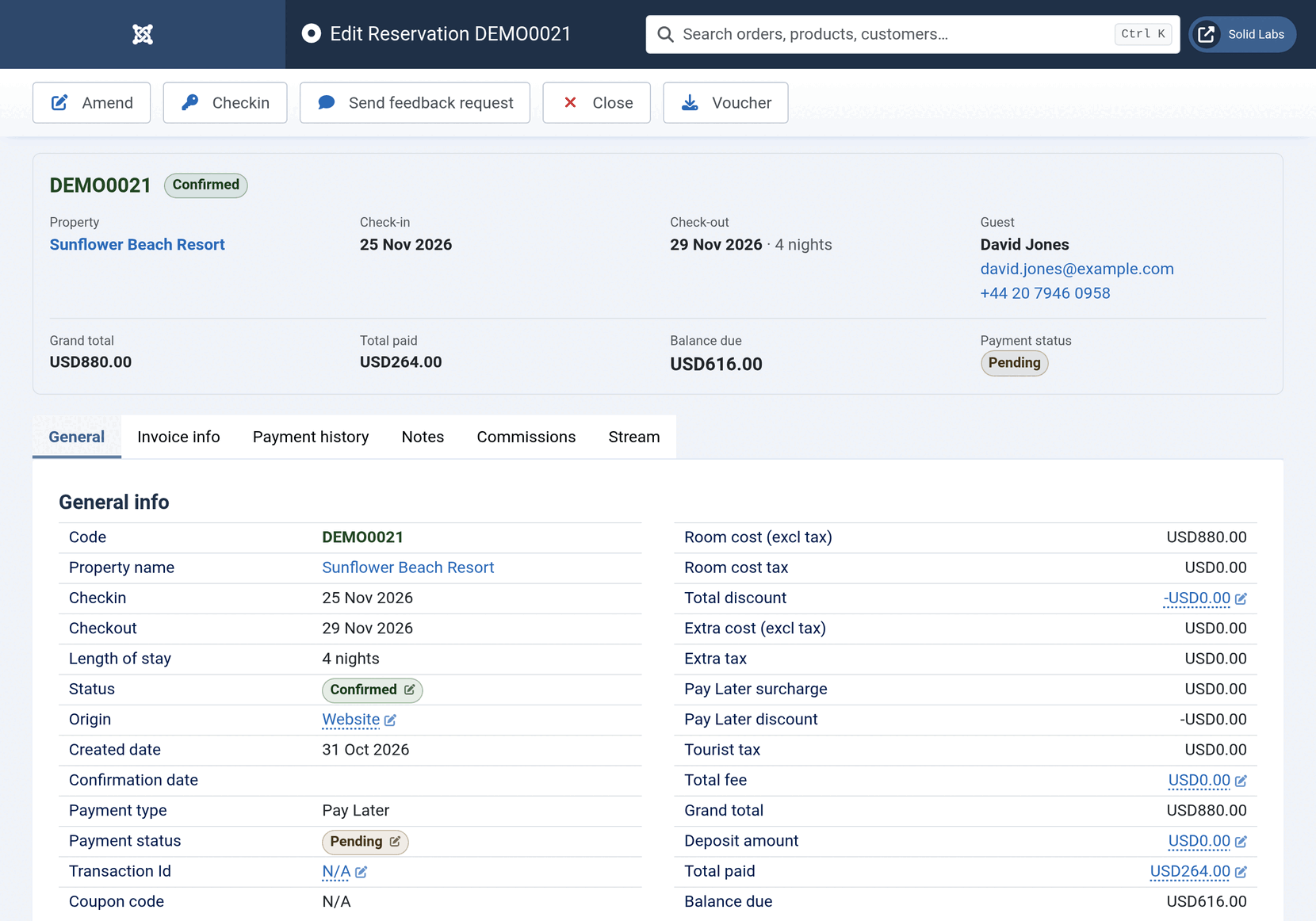
Official Solidres documentation image: “A reservation.” Downloaded for this guide; see source and attribution.
Check in a guest
- Find the reservation by code or guest name; confirm identity, dates, room, party size, and the physical room assignment.
- Review balance due, payment method, required documents, and any notes or extras before taking payment or handing over keys.
- Record only money actually received, with its method and reference.
- Change to the approved Checked-in status and confirm the result on the reservation and Front Desk view.
- Add an internal note for a material handover item, such as a deposit, accessibility request, or late-arrival arrangement.
Check out a guest
- Reopen the reservation and verify all nights, extras, tax, damages/charges authorised by policy, and the final balance.
- Record/settle the actual payment before changing the stay status.
- Issue the invoice or receipt when required by the property’s process.
- Change to the approved Checked-out status, then verify the room becomes available for its next valid booking.
- Confirm any feedback request is sent only according to the property’s approved Feedback workflow.
No-show, early departure, and late departure
- No-show: confirm the guest has not arrived, check the booked rate/cancellation terms, record the decision and any retained payment, then use the approved no-show/cancellation status.
- Early departure: do not shorten dates or refund nights until an authorised manager has checked the booked terms, payment, invoice, tax, and room availability effects.
- Late departure: confirm the room can remain occupied, document any approved charge, update the reservation where required, and inform housekeeping.
Status is not payment
Changing a reservation to checked out, no-show, or cancelled does not prove a payment was settled, refunded, or retained correctly. Use Payments and balance due and Cancellations for the money decision.
Local procedure to verify
TODO — verify/write locally: Insert this property's exact status names, identity/registration requirements, key handover rules, no-show time, early-departure authority, and late-checkout charge policy.